Tuesday, September 4, 2018

Mass Generated K2 Log In Cards: An ITRT Recipe

Conditional Formatting + Colored Tape + AutoCrat = Easy Logging in for K2 Students


Younger students can have difficulty logging in to computers, especially if they don't have prior experience with computers. By using a modified version of Christine Pinto's template, you can create a bunch of cards at one time.

Ingredients:

  • Excel (must be Excel) Spreadsheet of student usernames and passwords
  • Autocrat Template (force copy available at the link)
  • 'To Merge' Template (force copy available at the link)
  • CombineSheets Sheets Add On

Skill Level/Time required:

  • Intermediate
  • 30 minutes

Procedure:

  1. Be sure that usernames and passwords are on two different sheets within your Excel spreadsheet.
  2. On your usernames tab, navigate to Data --> Text to Columns.
  3. Choose Fixed Width --> Next.
  4. Click between each character to draw a line. Hit Finish.
  5. Repeat this on the passwords tab.
  6. On 'To Merge' Template, input students' first and last names.
  7. From your Excel sheet, copy character-separated usernames and paste them into the Google Sheet in the cells entitled "un1 to un19". Repeat this for passwords in the cells "pw1-pw5." Add or subtract cells as needed, and be sure to update any changes on your Autocrat template. 
  8. Install/run AutoCrat in your 'To Merge' Template. For explicit directions on AutoCrat, click here for an overview or watch the video directions below. 
  9. Open one of the newly-minted sheets. Install/run the CombineSheets add on. Combine all of the Sheets you just created.
  10. Open the same Sheet from step nine. Click the down arrow on the tab and choose 'Copy to...' the new Sheet you created in step 9.
  11. Use the format painter to 'grab' the format from the new tab. Apply it to the entire sheet. 
  12. Format as necessary.
  13. Print and (laminate, if desired). 

Implementing with your students:

  1. Color code your keys according to the directions in Christine Pinto's original blog post. 
    • The numbers are red taped, the QWERTY row is yellow, the ASDFG is green, and the ZXCV row is purple (or pink if your color printer went rogue like mine!)
  2. Show your students how the colors on their cards correspond to the keys on the keyboard. 
  3. Marvel in their success! 

Video directions:


Making Testicular Self-Exams Standard Practice in Virginia's High Schools

"To keep the body in good health is a duty... otherwise we shall not be able to keep our mind strong and clear." 
-Buddha

Looking to access the PSA immediately? Click here to watch the video.

Part of being a fourth grade teacher (my full-time job for the past five years) is the dreaded end-of-year “your body is going to start changing” talk. While I spend lots of my free time outside of school being an advocate for testicular cancer awareness through my blog A Ballsy Sense of Tumor, I don't often talk about testicles with my students. 

After completing my yearly lesson, I started wondering if the Virginia health curriculum includes education about testicular self-exams. I did some research and found that self-checks are only explicitly mentioned in one standard in 9th grade: “The student will demonstrate understanding of specific health issues, including the ability to conduct self examinations.” It’s indirectly mentioned in 10th grade: the student will “identify regular screenings, tests, and other medical examinations and their role in reducing health risks.”

Filming at the High School

In my opinion, these passing mentions are not nearly enough. Doctors recommend that both testicular and breast self-examinations are done once per month when full physical maturity is reached. For some students, this could be as young as fifteen years old. During their eleventh and twelfth grade years, Virginia students are not exposed to any information about the importance of self-examinations, which is when most students will have reached full maturity. The current standards were, in my opinion, not enough. It’s unrealistic to expect students to form the habit of regular self-exams based on one passing mention in ninth grade. This reality is even more alarming when paired with a 2016 study by the Testicular Cancer Society that found over 60% of young men have never been told about testicular cancer. Something needed to be done.

As a man of action, I decided to write to the Virginia Department of Education (VDOE) to express my concerns and to work with them on a solution. Within a few weeks, Vanessa Wigand, the VDOE Coordinator of Health Education, Driver Education, Physical Education & Athletics, emailed me back. She suggested that I script and star in an instructional video about testicular cancer and the importance of self-exams. Furthermore, she suggested having high school film department students film, edit, and produce the video. I loved that idea, especially the part about having high school students assist, as they are a part of the target demographic I’m trying to reach.

Around the same time as my discussion with Vanessa, I was at an EdTechTeam Apple Conference, and attended a session by Steven Knight, the Coordinator of Digital Learning for Falls Church City Schools. Since his presentation was all about video production, I approached him about having his students help produce the video. He loved the idea and later shared that he is also a cancer survivor.

With the technical side of things locked down, I began to work on the script the self-exam video. With the help of my sister, a high school senior, I polled some high school students and asked them what they’d want in a self-check video.According to the results, they’d like something that included a blend of humor, serious information, personal stories, and a how-to. I kept these recommendations in mind as I wrote the script.

I knew that my story wouldn’t necessarily be the most relevant to high schoolers, since I am ridiculously old compared to them. I needed someone their own age to share his story, so I reached out to Grant Moseley, a current high school senior and testicular cancer survivor who was diagnosed at 17. He agreed to write and share his story.

In early April, which is also testicular cancer awareness month, I filmed my sections, including my own story, information about testicular cancer, and narrating an animated self-exam demonstration, at George Mason High School under the direction of Steven, Kenneth George (the school’s film teacher,) and his high school student film crew. Beyond the coolness factor of being on camera, I loved seeing the three male students show expressions of intrigue while I shared some facts about testicular cancer. Later, when I spoke with one of the students, he said he had previously heard about testicular cancer but never knew exactly how to do a self-exam before filming. Mission accomplished.

Full disclosure - while I had my lines totally memorized well in advance, I messed up about 384 times while filming. Something about having two cameras on you is intimidating, but I felt confident in my final takes and in the editing skills of the students.

My faith in them was rewarded - they actually made me look good! Rather than tell you about their awesome work, I’m embedding the final product below (or watch it directly on YouTube here). While it is 11 minutes long (practically decades in this era of YouTube), it’s well worth the watch!


I had a chance to debut the video at the Virginia Health and Physical Activity Institute. In two sessions, I provided statistics, tips, and other information about testicular cancer to a number of health educators and curriculum coordinators. The attendees seemed to enjoy the video and especially liked that it was a comprehensive resource that covered all the bases, with a great blend of personal stories, information, school-appropriate humor, and an animated self-exam demo. Many eagerly asked where it would be located so that they can use it in their own districts.

Vanessa happened to be in the session and said that the video is posted on Health Smart Virginia, which is an online depository of lesson resources. To access it and other resources, visit this link and select "Health Smart VA Lesson Plans" under "Health Promotion." Scroll to Unit 27 - Grade 9 - Testicular Cancer 101 Video. These resources are also located in similar places in Grade 10, but it's the same information either way.

She also said she will send it directly to all health curriculum coordinators across the state, which will hopefully help the video become regular viewing material for all high school grades.

While I am honored to have made an impact on Virginia’s curriculum, I always want to have as big of a reach as possible when it comes to testicular cancer awareness. In the 50 states of the US (and Washington, DC), only 18 states make a specific mention of testicular self checks in their mandated health curriculums. Of these 18, only two states (California and Washington) include standards that address how to do a self exam in grades 9-12. Consult the map below to see if your state made the cut or not.


If your state has room to grow, please send this blog post or the link to this educational site (which is also posted on Health Smart Virginia) to the relevant parties in your state. I personally plan on reaching out to the “Vanessas” of each state in hopes to make this a national project.

In closing, I would like to offer a sincere thank you to all of those who helped support this project, including Vanessa and the VDOE, Grant Moseley, the Moseley family, Eric Manneschmidt (who filmed and edited Grant’s section), Steven Knight, Kenneth George, the high school film students, my colleagues at school who helped review my script, and countless others. This was truly a collaborative project.

We put forth the effort to produce this video, and now the ball is in your court to watch and share this video. As I said in the closing of the video, together, we can get the ball rolling on discussing the importance of testicular self-exams.

Friday, August 24, 2018

Lesson Plan Feedback Form: An ITRT Recipe

Provide feedback to your teachers on lesson plans (or anything else you'd like)!


Administrators and coaches, pick your path - intermediate or advanced - to provide automatic and personalized feedback to your teachers.

Ingredients:

  • Google Form
  • FormValues (Google Forms Add On - optional, but recommended)
  • Google Sheet
  • Google Doc
  • AutoCrat (Google Sheets Add On)
  • ADVANCED INGREDIENTS:
    • =VLOOKUP (Google Sheets Formula)
    • CopyDown (Google Sheets Add On)

Skill Level/Time required:

  • Intermediate: 30-45
  • If following Advanced directions: 60-90 minutes

Procedure:

  1. Create a Google Form that addresses all the area you wish to give feedback on. For this example, my admin wanted to be able to address Teacher Name, Date, Subject Area, Standard Present in Lesson Plan, Learning Intentions/Success Criteria, and Required Lesson Plan Elements (Flow, Opportunities to Respond, Student Engagement Strategies, and Feedback). 
    • If you are following the Intermediate directions, also include a textbox for teacher email. 
    • If following the Advanced directions, you will set this up to run automatically in step 6.
    • Using the FormValues Add on for Forms can help if you will be using the same values in Forms over and over. In this case, I used it for teacher name. 
  2. From the responses tab, create a spreadsheet of responses. Open the Sheet. 
  3. Create a new Google Doc and title it 'Lesson Plan Feedback Template' or something similar. 
  4. Create a template using the column headers from the Google Sheets within merge tags, which look like this: << and >>. This will help with Autocrat in step 7. 
    • For the "demographic information," I used two column tables - left containing the prompt (Teacher Name) and right containing the tag for Form response (<<Teacher Name>>). 
    • I used two-row tables - the top row had the "Look For" (How are learning intentions and success criteria evident?) and the bottom contain the tag for the Form response (<<How are learning intentions and success criteria evident? >>)
  5. Go to your Sheet from step 2.
  6. OPTIONAL, ADVANCED STEPS. IF CHOOSING NOT TO DO THESE, SKIP TO STEP 7. 
    • This step allows you to automatically insert emails and specific folder placements. It takes time on the front end, but will end up saving you (and your teachers) lots of time and organization in the long run.
    • Go to your Google Drive and set up individual folders for each teacher that you'll be providing feedback to. 
    • Add a new page to the Sheet you opened in step 5. In column A, put the teachers' names as they appear in the Form. Column B should contain their email addresses. 
    • In Column C, cut and paste the folder ID in for each teacher. The folder ID is a long string of characters after /folder/ in the Google Drive URL. They all look similar to "1P6euIGuXwTiBb4NS40ykzpBR3yc1qsSN"
    • Back in the first page of the Sheet, add two columns - one titled Email and one titled Folder Reference.
    • Install/open the Copy Down Add on. It will prompt you to place the following formulas in a row it will create for you. 
    • In the new row, in both columns for Email and Folder reference, you will be writing a =VLOOKUP formula. It will look similar to =VLOOKUP(C3,Sheet2!$A$1:$B$45,2,false). Sheets does an ok job of guiding you what to type in and the optional video directions will explain this more. 
    • After you've done all this, you can join the rest of the class in step 7, and be sure to follow the optional, advanced directions in step 8, so all of your hard work pays off. To be fair, I did warn you that these were Advanced.
  7. Install/open the AutoCrat Add on. Run through the steps, using the template you created in step 3. If you set up the template in step 4 correctly, it should be easy, with just a lot of clicking through screens. Click here for an overview of the different Autocrat screens. If following the basic directions, you can entirely skip screen 6. 
  8. OPTIONAL, ADVANCED STEPS. IF CHOOSING NOT TO DO THESE, SKIP TO STEP 9. 
    • You must set up screen 6 if you have chosen the advanced path. The above tutorial explains how to do it. See, that wasn't too terrible! 
  9. At the end, choose Save. Depending on what you chose for triggers, once you begin using the Form, the Feedback Docs will be created instantly, on certain time triggers, or run manually. 

Implementing with your teachers:

  1. Bookmark the viewable Google Form somewhere in your bookmarks bar. 
  2. Do your observation/feedback for the lesson plan/instruction in the Google Form. 
  3. Press "Submit." 
  4. If you have followed the intermediate directions, the teachers will get an email with your feedback. If you have followed the advanced directions, they will receive an email AND it will be filed in their individual folder.

Video directions:

Overall directions -


Advanced directions -


Pivot Table for Large Assessment Files: An ITRT Recipe

When you have a lot of data to sort through, a pivot table may be your solution. 


This recipe would be best for administrators or coaches who have access to building/grade level data, since a typical classroom teacher may not have hundreds of rows of data, which is the value of a pivot table.

Ingredients:

  • Google Sheet of data 
    • (If in Excel, open in Sheets)
  • Pivot Table

Skill Level/Time required:

  • Beginner - I promise that pivot tables sound scarier than they are.
  • 10-15 minutes

Procedure:

  1. Open your Sheet of data. 
  2. Along the menu bar, go to Data --> Pivot Table. This will create a new tab on your sheet and open the Pivot Table Editor menu.
  3. In Rows, Add the data you want to sort. In this example, I used 'Item Description' so we could see all the type of questions. 
  4. In Columns, Add the 'qualifiers' that you want to count by. In this example, I used 'Correct/Incorrect,' but you can have multiple columns that will nest in each other. 
  5. In Values, use the same value as in Columns. Be sure it is set to 'COUNTA.'

Implementing:

  1. Use this Pivot table to see areas of strength and weakness. 
  2. Add in a column with a formula to calculate the percentage correct or incorrect to make it easier.

Video directions:


Thursday, August 23, 2018

Paperless Classroom Sign Out: An ITRT Recipe

Develop a paperless classroom sign-out system with Google Forms and CheckItOut.


Keep track of who is where, without the hassle of tracking down tons of sheets of paper.

 Ingredients:

Skill Level/Time required:

  • Intermediate 
  • 30-45 minutes

Procedure:

  1. Create a new Google Form.
  2. Delete the first automatically generated question.
  3. Install and open the CheckItOut Add On. Select 'Add/Edit Question Set.'
  4. Select 'Add New' and retitle 'Check in/out set name' as "Students" or something similar. 
  5. Change 'Question type' to 'Choose from a list.'
  6. Leave the remaining two boxes alone (or change the second one to 'All students are present.'
  7. Select 'Add.'
  8. Add a list of student names into the first new question CheckItOut generated.
  9. Optional: Add a text field for Destination
  10. Set up the viewable Form on a dedicated device or generate a short link/QR code that links to it. 

Implementing with your students:

  1. Depending what you chose in step 8, place this device/short link/QR near an easily accessible place. 
  2. When students sign out, they select their name in the first drop down. When they return, they select their name in the second drop down. 
  3. They don't need to add time or date, since Google Forms will do this automatically. 
    • Go to the Responses tab in the edit screen of Google Forms to see this information.

Video directions:


Classroom Library Digital Book Log: An ITRT Recipe

A continuation from Classroom Library Digital Check-Out System, this recipe will teach you to make a book log for your students.


A great way for students to track their independent reading, in addition to keep accountability!

'Ingredients:

Skill Level/Time required:

  • Intermediate
  • 30-45 minutes

Procedure:

  1. Be sure to already have your Classroom Library Digital Check-Out System set up and ready to go. If you have not already embedded it into a Google Site, do so now. 
  2. From the responses tab in the Check-Out Form, create a Sheet of responses. 
  3. Use the blue Share button to make it 'Viewable by Link.'
  4. Right click on the the '1' vertical axis to add a row under the row. Use the View menu to Freeze rows 1 and 2.
  5. Type 'CategoryFilter' in cells B2, C2, and D2. Type 'Hidden' in cells E2 and F2.
  6. Go to Awesome-Table.com. Sign in with whatever Google account is linked to this sheet. 
  7. Select 'Create a New View - Blank.' Select the spreadsheet you were just working on. You shouldn't have to mess with any of the setting, so press 'Create.'
  8. If necessary, press the pencil icon to get into editing mode. Assuming everything was set up correctly in step 4, there shouldn't be much you need to edit. Double check by click on the various drop downs. 
  9. Click the share button (it kind of looks like a triangle that is missing a side). Copy the "Link to Share."
  10. Go to your Google Site and create a page for the book log.
  11. Double click anywhere on the page and select 'Embed.' Paste the link you copied in step 9. A preview should pop up and select 'Insert.'
  12. Press Publish on your Google Site. 

Implementing with your students:

  1. Direct them to the page that has the book log. 
  2. Show them how they can see their own book log page or other students' pages. 
    • This will help them track their own reading, in addition to get recommendations and check on the status of books from other.

Video directions:


Thursday, August 16, 2018

Classroom Library Digital Check-Out System: An ITRT Recipe

Looking for a paperless classroom library check-out system, without QR/Bar Codes?


Using Google Forms and an add-on, you can easily create this user-friendly system.

 Ingredients:

Skill Level/Time required:

  • Intermediate 
  • 30-45 minutes

Procedure:

  1. Make a copy of the Google Form Template from the Ingredients (or from here). Make the form as decorative as you'd like.
  2. Add, edit, or remove any questions you would like. Be sure to fill in your class list in student name and edit/add the genres you want. 
  3. Install and open the CheckItOut Add On. Select 'Add/Edit Question Set.'
  4. Select 'Add New' and retitle 'Check in/out set name' as "Book" or something similar. 
  5. Change 'Question type' to 'Text with Listbox.'
  6. Leave the remaining two boxes alone and select 'Add.'
  7. If desired, move 'Author Name' and 'Genre' below the two questions CheckItOut added. 
  8. OPTIONAL - Embed the Google Form into a Google Site. (This optional step will help if you choose to make the 'Reading Log' public later - directions here).
  9. Use a Link Shortener to shorten the Google Form (or Google Site) URL. Alternatively, link to it from your Google Classroom or class website. 

Implementing with your students:

  1. Direct them to the check out form (wherever you placed it in step 9). 
  2. All directions are in the Form: 
    • They can select their name and genre from the drop down list. 
    • If they are checking a book out, they will type the full title under 'Check out.' 
    • If they are checking a book back in, select it from the menu under 'Check in.' 
    • They must also type in author name.

Video directions:

Monday, June 18, 2018

Five Firsts in my Fifth Year

I've never been someone that's had a five-year plan. That just... doesn't give you the chance to be flexible. 
-Eric Bana

It's the first Monday of my summer vacation and I just returned from my first morning run. In a few hours, I'll be seeing my first (of many, thanks to MoviePass) movie of the summer - Incredibles II. Due to my school district moving to a pre-Labor day start for the 2018-2019 school year, this summer is rather short. This year marked my fifth year as a fourth grade teacher. While five years seems like a really long time and doesn't leave much room for "new," I realized that there were five major "firsts" this year. Since I hate blogs that are just personal reflections, I'll also be sharing how these can impact your classroom.

It was my first year in yet another new classroom

First day selfie on top...
Final day on the bottom
For those of you playing the home game, this year marked my third classroom in five years. My first move was due to relocating in Virginia, and this one was so I could be closer to home. I have to say, a ten-minute commute (compared to my previous 45-90 minutes) is a beautiful thing. 

A new classroom means a new set up, different expectations, and more. I can definitely say that this school was the best fit for me. My students and team were great (I'll expand on these both more later) and my administration was incredible.

How this can impact your classroom

Don't be afraid to try for a new position. Whatever your reason, be it closer to home, a desired change in vision, or anything else, this shift could be a wonderful thing for you. That being said, I do not necessarily recommend moving classrooms every year, though lugging around so many boxes is a great workout. 

It was my first year without 1:1 Chromebooks

The only real "downside" to my new classroom was that I was not permitted to use my DonorsChoose class set of Chromebooks, due to district policies. While I totally get the rationale (devices not owned/managed by districts can become a nightmare), it definitely was a big shift in my instructional practice. I had to share a cart of Windows laptops with another teacher. 

However, around the holidays, I realized this ended up being a good thing. It forced me to switch up some lessons, explicitly teach how to effectively collaborate with partners while using devices, and refine my whole group/small group skills.  

How this can impact your classroom

Technology is the tool, not the lone savior. Do not become too reliant on computers, since you never know when they might go away. Focus on the teaching and use technology to augment the lessons, but never make it the only way you instruct.

It was my first year of having nicknames for every student

Nicknames have been a hallmark of my teaching since I began way back in 2013. It's always fun to say, "Youngblood, your reading teacher is here" and watch the shocked look on her face. However, I've never had a year where all my students have had nicknames. In the past, some students just straight up didn't want them, and in some cases, I couldn't find a organic fit. Nothing is worse than forcing a nickname.

This year, all 25 of my students had nicknames, from the reasonable "Tiny" for the smallest student in the room to the ironic "Trouble Family: Trouble, Double Trouble, Triple Trouble, and Quad Trouble" (the four quietest girls in the room) to the completely random "Jim Boy" for a student whose name was not Jim nor even James. This is a small thing, but helped create a sense of community and belonging in the classroom. Even my "Nemesis" loved her nickname and was in tears at the end of the year when it was all over. 

How this can impact your classroom

It doesn't have to be nicknames, but do something that make your students feel special. There are a billion viral videos of personal handshakes for each students, or create something that is you. No matter what - students need to feel welcome and embraced in your classroom. It doesn't have to be a major endeavor, but it has to be noticed by the students. You can't teach someone who doesn't want to learn from you.

It was my first year that I got along personally and professionally with ALL members of my team

Super teachers!
This isn't to say I actively disliked past teams. I still keep in touch with many old colleagues, but this is the first year that I felt like all members of my team let me do things "The Justin Way", without pushing their ideas onto me. (The Justin Way is hard to accurately describe, and I have been trying for three years on this blog to define it, to no avail.) We shared ideas and helped each other grow, but in a way in which everyone's ideas were respected and no one was criticized.

How this can impact your classroom

If you're on a team like this, be grateful. If you're not, see what you can do to change the culture. Team dynamics are hard to balance, but pays off in great dividends when they work. Put the time in to ensure it works and be open with your communication.

It was the first year I felt I had good work/life balance

Teachers suck at work/life balance. Not a controversial take, and I was among them in the beginning of my career. This year, I made a commitment to take care of me more and to enjoy my life outside of work. While teaching is a career that requires it to be a true labor of love, it's also important to realize that it is a job, and you work to live. There's no purpose in working yourself to the grindstone if you have nothing outside of work to look forward to.  

How this can impact your classroom

Find a hobby that has nothing to do with education. For me, it's writing about testicular cancer and men's health, but that's probably not your thing. (Though if it is, hit me up!) It's important to be a person first and a teacher second. After all, you cannot give them your 100% if you're not at your own personal best.

Set limits on yourself. The ones who should be working hardest are the students - not you, furiously lesson planning and grading papers at 1 am. 

A bonus point as I look to my sixth year in education  


It was my last year as a fourth grade teacher

One last selfie in the classroom
It's been a great five years as a fourth grade teacher, and I would say that this year was my best, between the above five points, the end of year academic gains my students made (including the highest pass rate on end-of-year assessments I've ever had), and more that didn't make it in this blog. That being said, this past Friday was my last day in the realm of fourth grade education. 

Starting on August 1, I will be transitioning roles to an Instructional Technology Resource Teacher (also called a tech coach, technology integrator, TOSA, or other titles depending on where you live). While I will still be within my same school district, I will be at a different school, meaning this is the fourth change for me (and fourth workout thanks to carrying around boxes). 

I have wanted to pursue this position for a few years, but kept putting it off. I had opportunities the past two years to make the change, but turned it down on both occasions (apparently you cannot get a mortgage if you don't have a signed work contract - who knew). I almost decided not to apply this year since I was having such a great year, but it felt like a good time to make the switch. I am beyond excited to start this new role, but I will miss working directly with my own class. 

How this can impact your classroom

Like I said in the first point, if there's a change in assignment you've been eyeing up... go for it. There's no time like the present. The great thing about teaching is that there are so many different things you can do and still be within the realm of education. If you want to try something new, give it a whirl and know you can always go back if it's not what you thought. 

And while you're changing roles, purge things that won't be directly related to your new job. Hand it off to colleagues or the teacher taking over your room. 

They (and your back) will thank you. 

Saturday, June 9, 2018

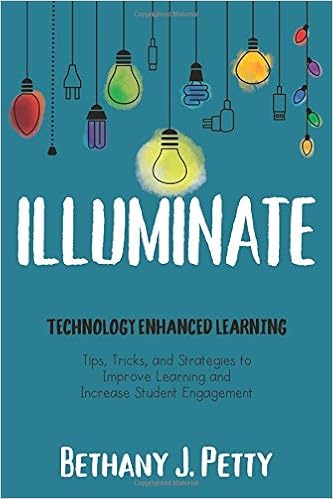
A Review of Illuminate: Technology Enhanced Learning by Bethany Petty

While I may not have been blogging here much this year (seeing as this is only my second post of 2018), I have been reading up a storm. This is part of a commitment to myself to continue using my time to trying define surviving life after cancer. I've set a goal to read 100 books this year, and the majority of them have been thrillers, and only one from January to May was about teaching.

However, I recently received an email from Bethany Petty, who I originally connected with through my former work with Breakout EDU Digital (which gets a shout out in one of the chapters - always cool to see Justin Birckbichler in print, and kudos for spelling is correctly).

She had just published Illuminate: Technology Enhanced Learning through EdTechTeam Press and wanted to share her message with the world. I told her I would be happy to read and review her book, though she may not need it since as of this writing, it is the number one new release in the Amazon store for Science and Technology Teaching Materials! About a week later, it showed up on my doorstep, and approximately 24 hours later, the book moved from my "Currently Reading" shelf to my "Read" shelf on Goodreads.

I highly recommend this book.
Click here to order your own copy.
This is more about the book being so easy to read more so than it being a short book. Bethany writes in a very conversational tone and shares many engaging anecdotes about her personal experiences as a learner, a teacher, a mom, a friend, and a blogger to back up her points.

The book is broken into ten chapters, with each one covering using technology to engage, explore, create, communicate, think critically, assess, reflect, motivate, design lessons, and connect. I learned something new from each chapter and wish I had read this when I didn't have just five days left in school, so I could implement them this year.

I loved that the book was not based entirely on the tech tools, but more on applications of each tool. New ideas that I had never considered before were presented in each chapter. A ton of stickies now adorn my copy with things I'd like to try in my own classroom.

While the focal point of the book is the "why/how" to use different tools, the "what" tool to use is also addressed. I consider myself pretty in the know about educational technology, but there were about six tools I had never heard of or knew what they did. The 35 tools are helpfully categorized in the "Tech Tools Index" at the back of the book, which made it easy to count up how many I need to learn about soon, but even more nuggets of wisdom are sprinkled throughout the book, making the grand total much higher. Luckily, blank notes pages are included at the end of each chapter to keep it all organized.

A common fear about print books about technology is that they will be outdated within a year or two. Bethany has helpfully included QR codes (which she shares a number of educational uses for throughout the book) to blog posts she has written about the subject. In my interactions with Bethany, I know she is on the ball when it comes to educational technology, and these blogs will be updated as current technology is refined and new, better tools are developed. Essentially, you are getting two books for the price of one - the one in your hand and the future iterations of her blog.

Thank you for allowing me the chance to read and review this book, Bethany. I thoroughly enjoyed every page of Illuminate: Technology Enhanced Learning and look forward to seeing your work continue to grow!

Saturday, February 3, 2018

Digit Detectives: Student-Created Number Talks

“Since the heart of number talks is classroom conversation, it is appropriate for the teacher to move into the role of the facilitator.”
- Sherry Parrish

AUTHOR'S NOTE: Before reading this piece, I strongly suggest you read my original number talk piece here. After reading it, come back here to read about the next level. 

A critical part of our daily math routine is beginning with a number talk. As a brief recap, they're 10-15 minute experiences where students are presented with a math prompt and have to work out various solutions using only mental math. Most number talks can have more than one answer and follow similar formats. Various norms (such as hand signals) are established to ensure that the experience runs smoothly.

Leading the tape measure Estimation 180
One thing I am very passionate about is giving students ownership and control over their learning.

They already write the weekly newsletter, lead our daily morning meetings, and help develop flipped classroom videos. In reflecting on where I could turn over more control to my students, I realized they could run number talks.

Teacher's assistant (the student who basically acts as a miniature version of me) is a highly coveted classroom job in Room 31, and it felt like a natural place for passing off the task. Once other students saw the teacher's assistant running the show, they begged that person for a chance. I'm always impressed by how gracious the teacher's assistant is in allowing others to have a chance.

The number talks all follow certain patterns and routines, based on the specific type (see the original blog post for an explanation of the types). One type that I didn't explain in the original post was Estimation 180. This is a fantastic website where various pictures are shown and students must make estimations based on other information in the picture or previous days' information. For example, a student recently led a five-day long continuous number talk about tape measures, in which a new, larger tape measure was introduced every day and the students had to estimate the new measures length.

Before and after students lead a number talk, I conference with them about what I'll be looking for while they lead. I want them to reinforce the norms and to push student on their thinking, which often times can be as simple as asking, "Why do you think that?" I encourage them to model it as if I were given the number talk.

A physical plan before
I converted it digitally
Generally speaking, I open up that day's number talk from this Google Slidedeck (feel free to make a copy of it) and turn it over to the student. As I do while I'm leading a number talk, I stay out of it and let them run the show. On occasion, I will put my thumb up (indicating I have an answer I'd like to share). Sometimes I will give a "correct" answer and model my thought process, and other times I will purposely give a wrong answer and see if other students catch it and use the disagreement signal (raising their hand). Spoiler - they usually do and love saying, "I disagree with Mr. B!"

While allowing students to lead number talks are great, they're still basically regurgitating information I'm giving them. I want them to be creators and true leaders of their learning.

I decided to ask the teacher's assistant for the month of January to start developing some of her own number talks, based on the "Mystery Number" and "Balance the Scale" format (again, see the original post for in-depth explanations).

Full disclosure - this girl is literally the shyest girl I have ever had in my entire teaching career. Asking her to lead number talks was one thing, but creating one was a whole new ball game. Nevertheless, she stepped up and developed both in a matter of minutes. Since I store all of my number talks on Google Slides, she wrote it on paper and I quickly converted it to digital.

She absolutely rocked it. I really wish I filmed it, because she did a great job. Her first talk was based on balancing the scale for the value of 12. In addition to her choosing an ideal number (since 12 can be created so many different ways depending on the operations used), I was absolutely floored by the responses of her classmates. We have been working on polygons, and one student said, "hexagon plus hexagon." This opened up further polygon-based discussion, which brought a single tear to my eye.

 Leading his own "Mystery Number."
Immediately, former teacher's assistants asked if they could retroactively make some. Of course, I wasn't going to turn them down! The following day, a student created and led another "Balance the Scale," while another did a "Mystery Number" later in the week.

If you're planning on trying this with your students, I definitely recommend beginning with the two formats I began with (Balance the Scale and Mystery Number), in addition to "Which One Doesn't Belong." These seem to be the three easiest to develop and lead to rich discussion.

In the future, it would also be cool for students to begin developing some talks in the Estimation 180 set up. This would take a bit of prep work ahead of time, as this would require students to take pictures at home and send them to me. Who knows - this may be on the docket for my February teacher's assistant!

Sunday, December 31, 2017

I Stepped Back

Around this time of year, EduTwitter is flooded with end of year reflections, goal setting for the next year, and #OneWord blog posts. I even did one in 2015. I contemplated writing one for this year and went back and forth on it for a few weeks. As I sit here on New Year's Eve day, I suppose this serves as an end of year reflection post.

Students working together to create a new flip video
To be quite honest, I have not done anything "new" in my classroom this year. Many of my mainstays have remained constant, but analyzed to a higher degree and implemented better. Most notably, my ability to do flexible grouping in small group instruction has improved. I regularly switch up my math groups as we enter into new units, based on informal pretests. Right before we let out for winter break, I assessed all students' reading progress through Fountas and Pinnell and will make some changes to groups as we begin 2018. I've been fine tuning my flipped classroom videos instead of just recycling old ones, in addition to having students create videos for their classmates, which was something I never got around to last year.

Technology integration continues to be a focal point of my classroom, but with one major change: I am no longer 1:1 Chromebooks. I have to share a Windows laptop cart with another teacher. At first, I hated it, but now I am learning to embrace it, though I do still hate how slow the laptops are. It forces me to be more intentional in how I am using the technology, which is always a good thing.

I've used Breakout Edu boxes and digital games, a handful of HyperDocs, and other things I love using while teaching. I continue to connect with my students on a regular basis and truly love my class and all their unique qualities. The families are very supportive this year and engage through Remind frequently. Within the walls of my classroom, things are par the course, which is totally ok with me.

A major change has occurred outside the school building in my life. If you're a regular reader of Mr. B's Blog, you may have been disappointed to see that there was only one post published this school year. Technically speaking, that wasn't even a new post; it was a holdover that I just published late. Besides not blogging about education, I've also stopped tweeting about education. In November 2017, I opened a new Twitter account for educational tweets, but really don't use that one anymore.

However, I haven't stopped writing entirely - I just write about a different subject matter now, namely men's health and testicular cancer awareness. As you probably know, I was diagnosed with cancer about a year ago, underwent chemotherapy for three months, and was cleared in remission in March 2017. I've been sharing my journey at my testicular cancer awareness blog, A Ballsy Sense of Tumor. My original Twitter account was retooled to focus on testicular cancer awareness. As always, I highly encourage you to check out both the website and the Twitter.

Is this to say I am not passionate about education anymore? No. I certainly still have very strong feelings about education and what needs to improve about it, but I'm focusing my energy on what I can do in my own classroom with my own students in my school. Those kids deserve my 100% effort while I'm there and I will give them my best. Furthermore, I needed better balance in my life. Education was my day job and my night hobby. EduTwitter was turning into an echo chamber, with platitudes and more of the same, and losing its luster with me. I needed to make a change.

There are literally hundreds of thousands, if not millions, of teachers who are tweeting and blogging about education. I don't feel like the community needs another voice, least of all mine. This isn't a vie for headpats or attention. I know I have some cool ideas, but writing about it and endlessly promoting it isn't necessarily how I wanted to spend my time anymore.

While there are countless educational blogs, there is a huge lack of testicular cancer awareness sites. In writing about my experiences and raising awareness, I've found a passion that does not relate to my profession (although I do have a project in the works that blends the two, so stay tuned) and I feel it has improved me as a person to have separate interests. It makes me a more well-rounded person and a real individual.

If education is your job and also your hobby, I'm not disparaging you. If it works for you, that's awesome. This is what works for me. I'm also not saying that I won't be writing or tweeting about education ever again. I still have over half a school year to go, and some ideas are swirling around that I want to try out, and may write about when the mood strikes.

So this is probably a different kind of end of year post than the norm that is being shared on Twitter today, and I am well aware of the irony that I'm writing a post about not wanting to blog about education and then tweeting it out. For now (and the foreseeable future), I've made the decision to spend my non-working hours working on my own passion project and dedicating my time and energy into doing a different form of good.

When it comes to educational blogging and social media,

I stepped back.

Wednesday, November 15, 2017

When a Student's Parent Dies

This post was initially written in May/June 2017. I've sat on it since then to let the student appropriately grieve, but he's agreed that sharing it may help other students or teachers experiencing the same thing. 

I walked into the office on Monday morning and gave my customary greeting to the administrative assistant.

"Good morning, Mr. B. One of your student's mother called. His father passed away this weekend. He won't be in today."

Wow. Not what I was expecting to hear. My first thoughts went immediately to how my student would handle this. He doesn't live with or see his father often, but there is no denying that this boy loves his father like nothing else. When his dad comes for a visit, I hear about it for the week leading up and the week after. I knew this would be devastating news to him, as would be for any child.

This student is one who has had displayed some challenging behavior in the beginning of the year. He came with a reputation, but I made it a goal to see him only in a positive light. Some days, he makes me want to tear my hair out, but I always know he is trying his best and we focus on that. On those days, he always shows genuine remorse for his choices and works to atone for them. He's made considerable growth, both academic and socially throughout the year.

I sent his mom a quick message on Remind, saying I was sorry to hear of their loss and that they were in my thoughts. She responded a few hours later thanking me for my message and that he would be back to school the next day. What's more, she said he spent the day studying for his upcoming end-of-year assessments. Getting him ready for those tests was the last thing on my mind.

The next morning, he slowly shuffles into the room. I wasn't sure what I was expecting. Normally, he comes in like a wrecking ball or perhaps more akin to Taz the Looney Toon. Today, he was quiet and I could tell his eyes were heavy with tears.

I decided to forgo the customary handshake and gave him a quick hug. I asked him how he was doing.

"I'm really sad."

Understatement of the century, I'm sure. I told him that today he could just take it easy. He started unpacking and began in on his morning work, which was a review sheet about capacity. It was a skill he was very confident on and it seemed to get his mind off of the news.

While the rest of my students worked on their morning work or ready their free read books, I sat with him and just let him talk when he wanted to. Asking for help on conversions with cups to quarts were interspersed with him gradually revealing more details about how he was feeling. Out of respect for his privacy and trust, I won't be sharing them here.

What I will share is that I had to step back and just listen to him as a student and a person. Yes, we had state assessments in two days, but that wasn't important. He had a lot to process and he just needed to talk about it. I am fortunate to have both of my parents still living, but lost my grandfather a few years ago. I used that to try to empathize with him, but I know it's not the same.

I broached the subject of sharing the news with the class. What did he want to do? Did he want others to know? Did he want to share? Did he want me to share? He said that he wanted to tell a few of his friends and I respected that. It wasn't my decision to make for him. The last thing I would want in that situation for a million questions and sympathetic looks from his friends. He also wanted to tell the school custodian, which is a staff member he has had a long-standing relationship with. I told him he could visit him whenever.

The school counselor, social worker, and principal came in to check on him throughout the day. The message was clear from all of them - we are here to support you.

During that day, I pretty much gave him free reign. If he wanted to work on his schoolwork, great. If he wanted to talk quietly to a friend, that was fine too. If he wanted to rest his head, I wasn't going to argue. He needed to have time to process his thoughts, but I think he also wanted a sense of normalcy in his day.

The next day, he was a little more animated, yet still somber. I was anticipating that he would be like this for a few days, or possibly for the rest of the school year. My job was to be there for him. First, his teacher has cancer, and now his father passes away. Not exactly fond memories of his fourth grade year, but I could help him by being a listening ear and not the teacher who was freaking out about the state test tomorrow.

We played a review game for the end of year history test, which involved playing cornhole. He asked if he could help me retrieve the beanbags once they were thrown. I could tell he wanted a specific job to do, so I told him I would happy to have his help. Again, he mixed in some of his thoughts and reflections while answering the review questions.

That's a big takeaway from this all. He needed time and space to talk things through and just have someone to listen to him. I had to respect that, whether it was me or a peer. The person always comes first and this was the pressing issue.

On the day he had returned to the classroom, he was signed up to write our classroom newsletter for that day. I asked him if he wanted to do it still and he said he did. When I took it from him at the end of the day to shift it to the next person, I noticed he had doodled on it and had written a small note. With his permission, I'm sharing it here:


Fast forward a few weeks later to the end of the school year. I always give out awards to every single students. Some are serious (Most Improved Reader), while others are silly (Duckface Extraordinaire). For this student, I wanted to give him "Resiliency King" for what he faced this year. I asked him if that would be ok with him, as he had still chosen not to share his father's passing with the entire class. He said that it was fine by him and I could share the news with the class. 

Our ceremony began and I got to his name. I told the story of what had happened and he interjected that he would like to speak. He got up and said, "It was a really tough time, but I want to thank my friends and Mr. B for helping me to get through it. Thank you all."

I don't cry much, but that got me on the verge of tears. It was his moment to shine and he was diverting the attention to others. I would not have expected that from him in the beginning of the year, and I am so proud of the young man he has become. 

Despite me leaving the school, he was the only student who consistently emailed me over the summer. I asked him one more time to his permission before posting this.

Sunday, July 30, 2017

My Take on Flipped Classroom

"The flipped classroom is not about the videos! It is about how you re-envision class time." 
-Jon Bergmann

I've done a flipped math classroom for the past two school years and absolutely love it. I also train other teachers on how to do it in their classrooms, and the above quote basically summarizes how I open sessions. 

The technology with a flipped classroom is easy and can be learned in literally five minutes or less. I personally use Explain Everything on my iPad to create the videos, upload them to YouTube, and have a playlist of all videos embedded on a Google Site with a Sheet detailing which videos my students are to watch. That's the extent of the technology involved, and you can easily replicate that in your classroom.

However, there's much more to it than just making videos and assigning them for students to watch at home. (You can do an in-class flip, but I've done an out of class flip and it's worked beautifully for my students. Do what you feel is best for yours.)

The Buy In

Practicing a flip in class
When talking with administrators, have a plan. Mentioning the technology is important, so they know you have given thought to the logistics, but I lead with the why. Math standards get more rigorous every year, with content added constantly. It's hard to properly introduce new material, provide time for guided and independent practice, and assess all in the timeframe of a school day. Illustrating the benefits will help the admin to accept this idea, and it's great to back it up with data.

After getting the go ahead from my administrator, I next discuss it with the parents. Ideally, I do this at a formal Back-to-School night, but the information is always available on my classroom website, too. When introducing it, I explain what's expected of students at home (explained more in "The  'Homework'" section) and the benefits to both the student and the parents. Benefits to parents include that they can be consistent with what methods are being taught in school, there's less frustration involved (saying, "Go watch your flip video" is less likely to cause a fight than "Go do your worksheet"), and it empowers the parents to have a modeled practice of how to do math. Nine times out of ten, when I have a parent who says they were "hate math," it's because they are fearful that they can't do the math their child can do. A flipped classroom also helps tremendously with communication between the teacher and the parent. The parent can tell you specifically where the student is getting stuck rather than "He doesn't understand decimals."

Be prepared for some pushback from parents and/or admin. It's something new and they may not fully grasp it. Be open and flexible. I generally ask for ongoing feedback about flipped classroom to the parents in my classroom and they seem to appreciate that. Prepare to overcome some challenges, and you may be pleasantly surprised if none occur. 

Finally, after talking with the adults involved, I lay it out to my students. This is usually the easiest step. I tell them their math homework for the year is going to be to watch YouTube. Once the cheering dies down, I add that it's math-related, which is slightly less exciting for them. However, I then shift into why it's going to be helpful for them. I play up the fact that they can learn at their own pace by rewinding certain parts, pausing, and even rewatching the whole video multiple times over. I share how I nor anyone else in the class will know if they understood it after one watch or sixteen views, which saves them some dignity if they are a student who has traditionally struggled in front of their peers for years on end. The flipside is also true - if they get it after one viewing, they don't need to rewatch it and be bored to tears. Buy-in from the students is usually the easiest to gain, especially if they know you're doing it in their best interests. 

The "Homework"

Like I said, I do an out-of-class flip. I check with parents for access to Internet and devices and I've found that they always have some access. Just in case, I do have backup plans ready (they do it in class during a math rotation or direct them to a public library).

At home, the students watch the videos. I produce all the videos myself, because I can tie it into my students' interests and the methods I'm teaching in class. My videos aren't super awesome, but they reflect my personality and teaching style that my students get in class. I keep them under 10 minutes so if a student needs to view it numerous times, I'm respecting their time. Rewatching a 20 minute video quickly turns into over an hour of work.

Sometimes, students create videos during class and then I assign them to the class for homework. I'll expand on this in a later post.  

The videos all follow a "I do, we do, you do" structure. I introduce and model the concept, and then give them another problem and ask them to pause the video. Once they've solved it, they unpause and I magically finish it out. The videos conclude with a "Bring Back to School" problem, which has no provided answer. This is what I'll be checking in the morning and help me create my groups. 

Practicing taking notes
While the students watch the video, they take notes. I don't provide outlines or fill-in-the-blanks because I want them to write down what they feel is important. The rule of thumb I tell them is if I write it on my screen, it should be on their paper. They know not to try to write down everything I say, because Mr. B talks a lot and goes off on tangents. 

We practice taking notes as a class for at least three weeks before they're doing it completely independently at home. Each week, we shift from in class practice to more at home, and I find this scaffolding really helps. 

What if a kid doesn't do his video? This is the most common question I get when doing a training session. If this happens, I ask them if they didn't do it at all or forgot to bring in their notes. If it's the latter, I ask them to bring the notes the following day. If it's the former, I give them a choice: do it during math rotations or do double tonight. Generally, most students choose to double up and it's a rare occurrence for repeat offenders.

The Instructional Shifts

When my students come into our classroom, I check their notes for the "Bring Back to School" problem. This is my first indication of their grasp of the prior night's video. However, it could be their siblings' or parents' work. I also usually have them solve a problem about the prior night's objective, either on paper, a whiteboard, or Google Form.

This helps me group the students. If a few students misunderstanding a specific element of long division, I can work with them on that rather than the spray and pray mentality of giving everyone the same instruction. I can really focus on what the students need to best address their learning.

That's the power of the flipped classroom. I rarely introduce a new concept in a whole group lesson, since the video is the whole group lesson. Instead, we're using our math time for number talks and math stations. In our 90-minute math block, we're able to do a fifteen minute number talk, and three 25-minute rounds for math stations. These stations include meeting with me, hands on work, collaboration with peers, and technology based stations. Some stations are standardized, with the ability for the student to self-adjust based on their perceived level of difficulty, while others are individualized specifically for that student.

The bottom line is that with a flipped classroom, class time is no longer used for passive learning - it's all active while they're in the classroom.

The Results

We always need to look at the validity of using new instructional methods beyond "it's cool and shiny and the kids will love it." Not much research exists on flipped classroom yet, but I have two years worth of data to support it. In both years, my students experienced large gains in their end-of-year state exams (comparing third to fourth grade), both in average score and class pass rate. My first year of flipping saw about a 20% increase in passing, while both years have seen a 30 point gain. 

While data is great for admin, it's just as important to check in with parents and students to see what they felt. I'll close with a sampling of their responses.

Parent responses:
  • Flipped videos have made a huge different to my child, he struggles with reading but is much better at math. The flipped videos allows him to do math without the struggle of reading, he can view a video for as many times as he would like. 
  • An added benefit is that I can watch the video and help him, I have realized that I actually remember more then I thought from my days in math class.
  • Taking notes is a skill that he is developing as he is watching and he is not surprised by what will asked of him the next day. The videos are short and not overwhelming and it makes it way more fun to do it on the computer.
Student responses:
  • I think it is a lot more fun instead of taking home a worksheet you get to watch and video and it makes learning easier.
  • It is fun because he includes things we like.
  • I like flip notes because you cannot use the excuse of you lost your worksheet.

Wednesday, July 5, 2017

Hot Off the Press: Student-Created Newsletters

"A magazine or a newspaper is a shop. Each is an experiment and represents a new focus, a new ratio between commerce and intellect."
-John Jay Chapman

Authentic experience is an important element in teaching students to become good writers. In schools, many writing prompts and assignments lack meaning to students and aren't applicable to real life.

Another problem in education is keeping parents informed of what's going on in the classroom. We design awesome learning experiences, but students may still go home saying “We did nothing today.”

This year, I killed those two birds with one stone* - a student-created newsletter.

Click to enlarge - Note the level of detail in Monday
Each day, a student writes a one page summary of our day. I start at my first student and work my way down the class list alphabetically. By the end of the year, each student produces around six daily reports. Some choose to work on it bit by bit throughout the day, while others do it all at the end of the day during read aloud.

We don't have a fancy template - just a single piece of loose leaf notebook paper. Originally, I had no maximum limit, but then one student wrote four pages - front and back. After that, I implemented the "one front of page max" policy. This helped tremendously, since it forces the students to write the most important points down without too much flowery, overly descriptive, verbose, repetitive, unnecessary, and irrelevant wordy expressions of written language. (Do you see what I did there?) Identifying main points that belong in a concise summary is one of the reading standards my students struggle with, so this is a good way to give them extra and real practice by flipping it to generating a summary.

Having them write without a rubric or outline to follow also helps me to glean what the students found most valuable and engaging in class. They may quickly detail the standard math centers, but different learning experiences might be explained in more depth. If I thought something was going to be mind-blowingly cool, and it doesn't even net a sentence in the summary, I usually examine why that is. The one direction I do give was to write as if the reader had no idea what they were reading about. If we're playing Cutthroat Cornhole in class, they need to explain what the game is so the readers know what it is.

Once I have a week's worth of daily summaries, I type them into a Google Form. I don't correct any errors or add any details. I want their parents to see exactly what they wrote, so it prompts discussions at home. I work with a student's mother and she said that their family would use other students' writing to help guide him in what he should write when it was his turn. It makes them more accountable as a writer, as it is solely reflects them.

From the Google Form, Autocrat (which I set up in the beginning of the year) generates it into an actual newsletter. I didn't have to use Autocrat, but it saved me a bunch of time instead of making a copy of a template, typing, formatting, so on and so forth. I use a three column table - a column each for the day, the summary, and the author's initials. Using a table is helpful so it resizes itself automatically.

I also had Autocrat tags on the page for the date. A newsletter spanned from Friday to Thursday, so I can type them on Friday morning and not rush to get it done at the end of the day on Friday. The footer also includes my contact information, so the parents have an immediately visible reminder of how to get ahold of me, while the header has our classroom motto ("we don't make excuses, we make changes") as a constant reminder of what we stand for in our classroom.

There's a section on the newsletter of "Important Information From Mr. B" for assessment dates (and ways to prepare), special events (such as Readers Cafe), upcoming units of study, or other exciting information. Instead of sending numerous Remind messages throughout the week, I tell the parents to look at the newsletter. This forces them to look at the newsletter and hopefully appreciate their students' hard work.

A physical copy goes home with each student and it's also posted on our classroom website under the Classroom News page. This way, parents have no excuse to not see it! In the future, I think I'll include a higher-level math task related to our current unit or a discussion prompt related to our class read aloud after the "Important Information" section (if there's extra room) to help promote discussion at home.

A student-created newsletter is easily adapted for any subject area or grade level. It'll empower your students to be mini-journalists, keep your parents in the loop, and give you an inside look at what your students feel is valuable in your classroom.

As for me, volume two of the Mr. B’s Agents of SHIELD Classroom Newsletter will be hitting the stands in September. I didn't win a Pulitzer last year, but I'm holding out for one this year!

*Author's Note: If you've ever genuinely killed two birds with one stone, you have earned all of my respect.